

How to Create Your First Lofi Beat: A Complete Beginner’s Guide (2025 Edition)

Intro: lofi beats to unleash the power of beginner’s creativity
Lofi has become the sound of chill study sessions, late-night creativity, cozy coffee shops, and millions of Spotify and YouTube playlists. Its mellow, nostalgic, imperfect vibe is exactly why so many new producers start their music-making journey with it.
If you’ve always wanted to make your own lofi beat, but felt overwhelmed by software choices, gear, or the technical side of producing, this guide is for you.
At Widen Island, we’ve been helping emerging producers get started for years, and today, we’ll walk you through everything you need to know: choosing a DAW, selecting beginner-friendly instruments, using loops and sound packs, releasing your music, promoting your track, and getting professional-level feedback.
Let’s bring your creativity to life and revive your musical journey together.

1. Choosing the Right DAW (Digital Audio Workstation)
Your DAW is the core of your beat-making setup. It’s where you record, arrange, mix, and master your music. Today, you’re spoiled with great options, but that can make choosing one a little confusing.
Here are the four DAWs we recommend to beginners who want to produce lofi beats:
● Logic Pro (Mac Only)
Logic Pro is one of the most powerful and user-friendly DAWs available. If you’re on a Mac, this is an incredible value: a one-time purchase for professional-level tools.
Why it works for lofi:
- Massive library of vintage keyboards, synths, drums, and acoustic instruments
- Intuitive piano roll
- Built-in sampler and drum machine
- Smooth workflow for recording live guitar, vocals, or keys
Logic shines in creating warm, organic textures, perfect for lofi.
● Ableton Live
Ableton is the king of electronic music production. Its workflow encourages experimentation and creativity. Tons of producers make lofi on Ableton because of how fast it is for sampling.
Why it works for lofi:
- Session View = fast idea sketching
- Warp engine = excellent for time-stretching samples
- Huge community and tutorial ecosystem
If you see yourself progressing into electronic or experimental music later, Ableton might be the right investment.
● FL Studio
FL Studio is arguably the most beginner-friendly beat-making environment. It’s loved by hip-hop, trap, and lofi producers alike. The interface is visual, colorful, and easy to learn.
Why it works for lofi:
- Step sequencer is perfect for simple drum patterns
- Piano roll is best-in-class
- Tons of built-in effects and synths
- Lifetime free updates
Although every DAW have some other advantages, many producers thinks that FL Studio is the fastest way from idea to finished beat.
● Reason
Reason is unique because it recreates a physical studio rack with cables, knobs, and hardware-style modules. It’s incredibly fun, and surprisingly intuitive once you get used to it.
Why it works for lofi:
- Gorgeous built-in instruments
- Vintage-style compressors and tape saturation
- Rack extension ecosystem
- Inspiring sound-design possibilities
If you love experimentation and visual learning, Reason can be a great creative partner. Besides, they got some amazing plugins for lo-fi like Mimic, and even better you can actually run Reason on any other DAW! But yeah that is something we will explain in an upcoming article.
Which one should YOU choose?
If you’re still unsure, here’s a simple guide:
- Mac user who wants professional features → Logic Pro
- You like sampling, effects, and experimentation → Ableton
- You want the easiest learning curve → FL Studio
- You love hands-on production and vintage vibes → Reason
There’s no wrong choice. Stick with one DAW, learn it deeply, and let your creativity grow.
2. Essential Instruments & Gear to Get You Started
You don’t need a room full of synthesizers to make lofi. In fact, you can make your first beat with nothing but your laptop and headphones. But a bit of gear can make the process easier and more fun.
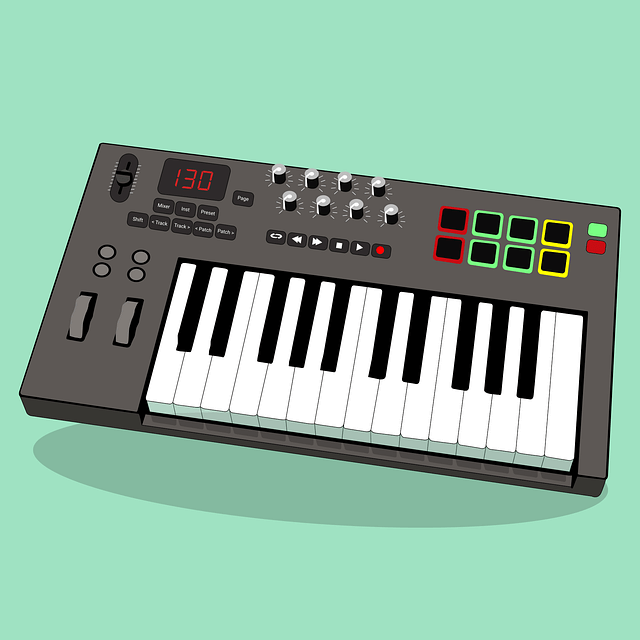
● A MIDI Keyboard (Highly Recommended)
A MIDI keyboard lets you play melodies, chords, basslines, and drums with your hands instead of clicking notes with a mouse. It dramatically speeds up your workflow and makes the experience more musical.
A small 25-key keyboard is perfect for beginners, portable, affordable, and more than enough to compose lofi.
Here are three great options:
Note: Some product links are affiliate links.
Novation FLkey Mini (25-Key)
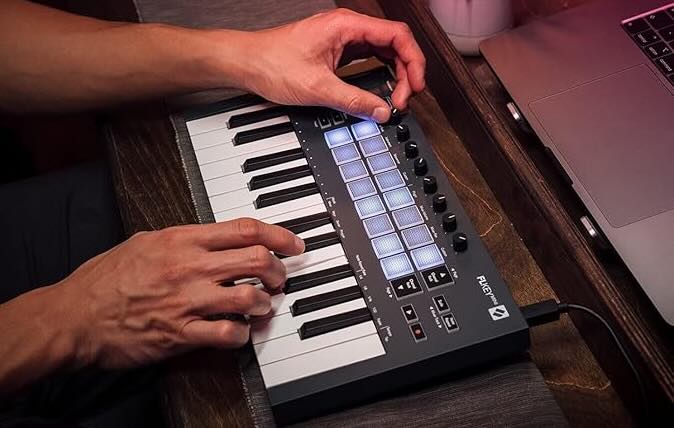
A 25-key portable MIDI controller that integrates seamlessly with FL Studio. Check it out here.
Perfect for FL Studio users, with built-in integration and hands-on controls. Lightweight, simple, and beginner-friendly.
Akai MPK Mini MK3 (25-Key)
Compact and beginner-friendly, with 25 keys, pads, and a great starter software bundle. See it on Amazon.
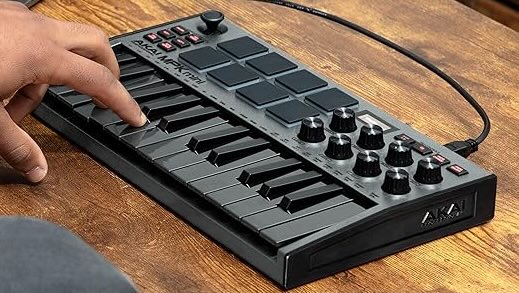
One of the most popular beginner keyboards in the world. Great drum pads, solid build, and comes with software to get you started.
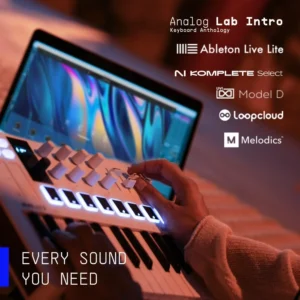
Arturia MiniLab 3
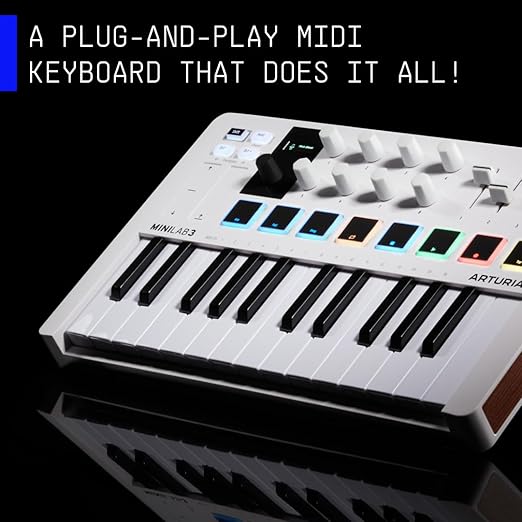
My personal favorite! The build quality is excellent, the keys feel incredibly smooth and responsive. Although the other choices were great, this one comes with everything you need to start producing, knobs, pads for drums, and even a handy modulation wheel for expressive control. Highly recommended for beginners and seasoned producers alike.
Indeed, this universal MIDI controller also includes a rich software package, making it perfect for experimenting with chords, melodies, and sound design. Its beautiful design, responsive knobs, and versatile controls give you plenty of options as you grow your music-making skills. View here.
● Do you need a modulation wheel?
Is it essential? No.
Is it fun? Absolutely.
A mod wheel lets you add vibrato, pitch-bend, and expressive movement to your melodies, a hallmark of the lofi sound. If a mod wheel is important to you, go for the Arturia Model.
3. Sound Cards / Audio Interfaces (Only if You Record Instruments)
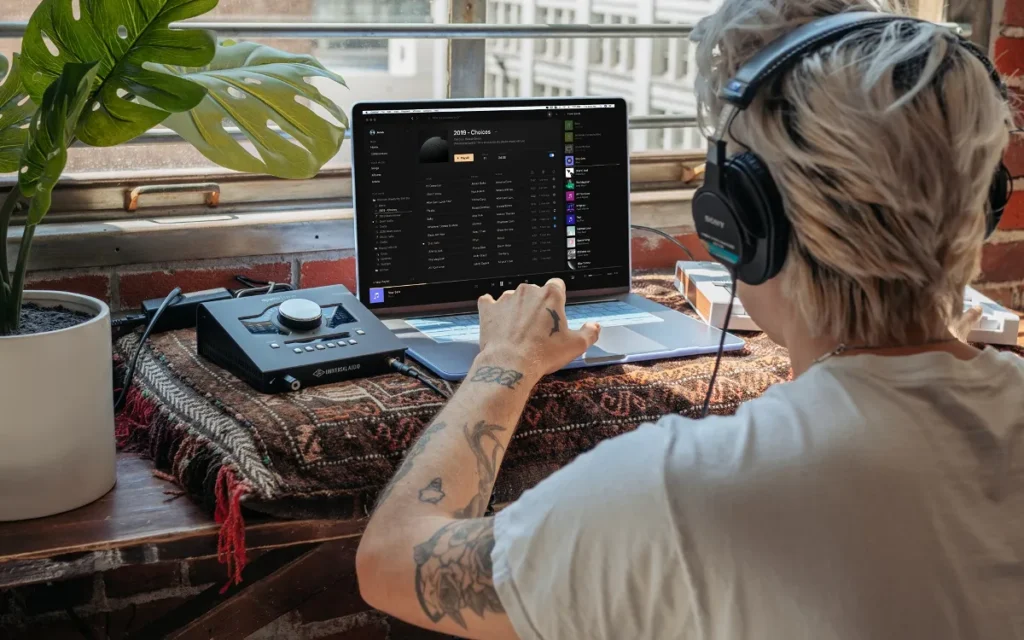
Finally, If you’re purely producing inside the box (using virtual instruments and samples), you don’t need an audio interface to get started.
But if you want to record real instruments:
- Guitar
- Bass
- Vocals
- Hardware synths
- Real instruments of any kind
Then a sound card becomes essential. Besides a ton of choices when it comes to choosing the right sound card.
For beginners, Focusrite clearly dominates the market because of its value, sound quality, and reliability, I’ve had mine for a really long time, it can fell on the floor, this things just never break.
Best Budget Options:
Focusrite Solo
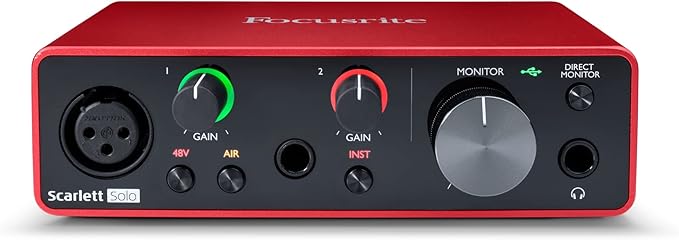
One input, simple controls, clean signal. Perfect for vocal or guitar recordings, view here.
Focusrite Duo
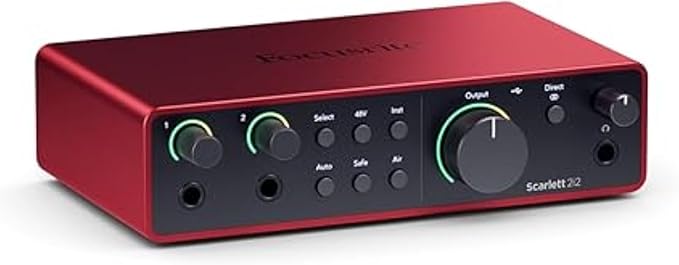
Two inputs = record vocals and guitar simultaneously, or collaborate with a friend. A small upgrade that gives you more flexibility, buy it now here.
4. Sound Packs, Loops & Sample Libraries
Nevertheless, lofi relies heavily on textures, vinyl crackles, dusty drums, warm Rhodes chords, laid-back bass, and nostalgic melodies. A good sound pack can instantly inspire you.
Where to get sounds:
● Free sound packs
● Paid premium packs
- Splice
- Loopmasters
- Lofi Sounds
- The Kount drum kits (Gotta love The Kount for the drum sounds).
Many DAWs already include great lofi-friendly samples:
- Logic’s “Vintage Electric Piano” is iconic
- FL Studio’s FPC kits give punchy drums
- Ableton’s Rhodes and Wurlitzer presets are beautiful
- Reason’s Dr Loop Sampler, Recycle and Mimic are amazing to manipulate samples.
Obviously, start with what you have. Upgrade later as your ear develops.

5. Composing Your First Lofi Beat (Step-by-Step)
Let’s walk through a simple workflow for creating your first track.
STEP 1 — Choose a Key & BPM
Lofi usually sits between 65–90 BPM. Personally, I enjoy having a lower BPM like 70 – 80 for the type of jazzy lofi beats I produce. While some people like it more fast pace, others prefer more chilled and slow-paced, so just do as you feel!
Choose a mellow key such as:
- A minor
- D minor
- E minor
- G major
STEP 2 — Start With Chords
Use a Rhodes, electric piano, or soft piano plugin. Create a simple 2–4 chord loop. Keep it warm and minimal, lofi is all about feeling, not complexity.
STEP 3 — Add a Beat
Lofi drums are typically:
- Soft, dusty kicks
- Snappy but relaxed snares
- Fuzzy hi-hats
- Swingy grooves
Humanize the timing slightly to avoid a robotic feel. Eventually, a good place to start is making the hi-hats sounds human and not perfect, as well as the snare often being late in time, like the huge inspiration from JDilla called the JDilla Time.
STEP 4 — Add a Bassline
Follow your root notes. Keep it simple and round. If you feel like it, add an octave or a third or fifth here and there. When it comes to the bass sound, you got a lot of choice but I tend to recommend to choose what is called a “Sub bass” in general or even an 808 type of bass to start your lo-fi journey.
STEP 5 — Add Texture
That is a part to not forget, textures give warm, real tape kind of feel to your piece of music.
Add layers like:
- Vinyl crackle
- Rain sounds
- Guitar plucks
- Ambient noise
- Soft pads
Textures create the signature “warm blanket” lofi vibe.
STEP 6 — Mix and Master Lightly
Lofi is supposed to be warm, vintage, slightly imperfect. I tend to not overthink it to be honest, keep things simple.
Use subtle:
- Saturation
- Reverb
- EQ
- Light compression
Don’t over-master. Keep the dynamics natural.
6. Exporting and Releasing Your Track

When your track is ready, export it in WAV or AIFF format at high quality. Then upload it to a distributor.
Free or Budget-Friendly Distributors
- Amuse
- Routenote
- UnitedMasters (free tier)
Paid but Popular
DistroKid is popular for beginners because of its ease of use and simple pricing.
Once your track is released, it will appear on:
- Spotify
- Apple Music
- Deezer
- YouTube Music
- Amazon Music
…and many more.
Now the real work begins: promotion.
7. Promotion: What You Should Do After Releasing
Releasing a track is step one. Getting people to hear it is step two.
Here’s what works for emerging artists:
● Playlist curators
Reach out to services like:
Pitch your lofi track to curators who manage chill, study, beats, or low-fi playlists. Sometimes you can even contact individually some curators and try to submit to them directly, either by DM or by something called a Toneden Smart Link Gate. These usually work so that you can follow a given playlist, and in exchange the person will get your track information and decide whether or not add you manually to their playlist.
Important Note: Since this is often free, curators sometimes do not have the time to go through these submissions.
Getting just a few placements can help trigger Spotify’s algorithmic boosts (Release Radar, Discover Weekly).
● ToneDen, Feature.fm, and Smart Links
Use a “smart link” service to make sharing your track easier. These create a single page where all your streaming links are consolidated.
● Social Media Promotion
Share snippets of your beat on:
- TikTok
- Instagram Reels
- YouTube Shorts
- Reddit (r/lofimusic, r/makinghiphop)
- Discord communities (including ours!)
Short-form video is currently the best way to reach new listeners fast.
● Submit to Lofi Labels
Once you’ve built a small catalog, consider submitting your tracks to independent lofi labels.
We’ll list some here:
- Chillhop Music
- Lofi Girl
- Purple Theory Records
- Pueblo Vista
- Inner Ocean Records
- Insert Tapes Records
- Widen Island (we accept submissions!)
Labels help you reach a much larger audience.
8. The Importance of Feedback
Additionally, Before releasing your track, get feedback. This is a step most beginners skip, don’t be one of them.
Why feedback matters:
- It helps you catch mistakes you didn’t notice.
- It teaches you new techniques.
- It shows you what listeners feel, not just what they hear.
- It accelerates your growth as a producer.
Where to get feedback:
- Friends & family (good for basic impressions)
- Producer communities
- Discord servers (including ours at Widen Island)
- Reddit
- Facebook groups
- Music production forums
If you don’t know anyone personally, that’s okay, online communities are incredibly supportive. If you want to know more Discord servers, don’t hesitate to post a comment or contact us and we’ll tip you on more. There are a ton of good ones out there!
At Widen Island, we encourage new producers to join our Discord to get constructive, friendly feedback anytime. Whether you’re struggling with a mix, need advice on a melody, or want a fresh pair of ears before release, we’re here for you.
Disclaimer: This post contains affiliate links. If you purchase through them, I may earn a small commission at no extra cost to you. Thanks for supporting Widen Island!
9. Final Thoughts: Your Lofi Journey Starts Today
Creating your first lofi beat is one of the most rewarding creative experiences you can have. It’s simple, expressive, and deeply personal. You don’t need expensive gear, years of music theory, or complicated hardware.
All you need is:
- A DAW
- A small MIDI keyboard (optional but recommended)
- A few good samples
- A peaceful mindset
- A willingness to experiment
The more beats you make, the better you’ll get. Soon, your music could be on playlists, YouTube channels, Spotify pages, or even released under a label like Widen Island or lofi girl. SO AIM for the moon, just so that you can reach it!
Your music journey is alive again! Let’s keep it growing.
/Edwin


